
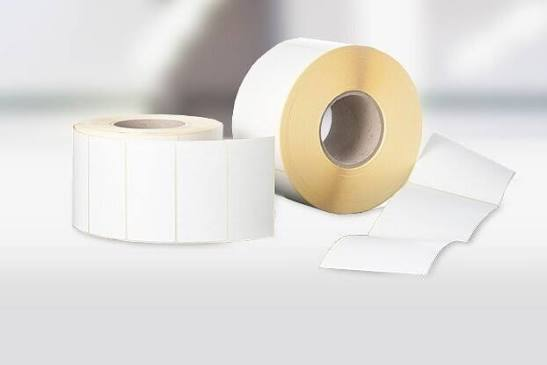
Thermal labels usually stick together because heat, humidity, pressure, poor storage, or excess adhesive has changed the way the roll releases. The problem may appear as labels blocking face-to-face, adhesive collecting at the roll edges, or several layers pulling from the roll at once. Each symptom needs a different correction, so the first step is to identify exactly where the unwanted bond occurs.
Do not force a blocked roll through the printer. Extra feed tension can tear the liner, distort the roll, contaminate the platen, and turn a media problem into a printer repair. Remove the roll, inspect it in good light, and compare it with an unopened roll from the same lot before deciding whether storage, handling, or construction caused the failure.
What Does a Stuck Roll Look Like?
Face-to-face blocking means the printable surface of one label clings to the liner or back of the layer above it. Edge blocking occurs when adhesive has flowed beyond the die-cut label and bonds adjacent roll layers. A crushed or telescoped roll may also feel stuck because the layers no longer unwind in a straight path. Mark the affected position and check whether the problem continues through the roll or is limited to one damaged area.
Heat Is a Common Cause
Pressure-sensitive adhesive softens as temperature rises. A carton stored beside a heater, close to a warehouse roof, in direct sunlight, or inside a hot vehicle can develop adhesive ooze and blocking. Direct thermal coating can also darken or become less stable after heat exposure. Store finished rolls in a clean, dry, conditioned area, ideally near the supplier’s recommended conditions, and keep them away from equipment that releases heat.
Humidity Changes Paper and Liner Dimensions
Paper facestock and release liner absorb moisture. High humidity can make them swell at different rates, increasing curl, pressure, and poor release. Very dry conditions can make paper brittle and create static. Keep rolls in their original bags and cartons until needed. When media arrives from a very cold or humid environment, let the sealed package acclimate in the print room before opening it so condensation does not form on the roll.
Pressure Can Lock the Layers Together
Heavy cartons stacked on label boxes, rolls stored flat under weight, and overtight winding can increase contact pressure between layers. A dropped roll may flatten on one side and bind every time that area reaches the unwind point. Store cartons upright according to the supplier’s stacking guidance, avoid placing loose rolls beneath other supplies, and reject rolls with crushed cores or visibly oval profiles when they cannot rotate evenly.
Check for Adhesive Ooze
Sticky roll edges, gummy deposits on media guides, or adhesive strings between labels indicate ooze rather than simple paper blocking. Clean the printer only with the method approved by its manufacturer, because scraping can damage the platen or sensors. Then isolate the roll and lot. Consistent edge ooze may point to excessive adhesive coat weight, poor slitting, heat exposure, or a construction that is not stable for the operating environment.
Use a Controlled Unwind Test
Test the roll away from the printer so the machine does not hide the symptom. Use clean hands and avoid touching the adhesive.
- Place the roll on a smooth spindle and unwind about twenty labels slowly.
- Note whether resistance is constant, periodic, or concentrated at the edges.
- Peel five labels and check for adhesive transfer to the liner or neighboring face.
- Repeat after the roll has acclimated in normal room conditions for twenty-four hours.
- Compare the results with an unopened roll and record the lot numbers.
Separate Media Problems From Printer Problems
If the same roll binds on two known-good printers, the media or storage history is the likely cause. If several good rolls bind only on one printer, inspect the media guides, platen, peel mechanism, and roll holder for residue, excessive pressure, or misalignment. The roll should rotate freely without side-to-side movement, and the guides should touch the liner lightly rather than squeeze it.
Can a Stuck Roll Be Recovered?
A slightly tight roll may recover after controlled acclimation, but heat-damaged media, transferred adhesive, darkened direct thermal coating, and permanently distorted cores should not be used for production barcodes. Rewinding by hand may hide damage without restoring consistent release. Use questionable rolls only for a documented test, not for shipments or traceability labels where a jam or unreadable image creates operational risk.
What Should You Specify When Reordering?
Provide the printer model, label size, core, maximum roll diameter, winding direction, application temperature, storage range, and expected shelf life. Ask how the rolls are packaged and whether the adhesive is designed to resist edge ooze under your conditions. When comparing label rolls and discussing the problem with a label supplier, request samples from the proposed construction and test them after realistic storage, not only immediately after delivery.
How Do You Prevent the Problem From Returning?
Use first-in, first-out inventory, leave rolls protected until use, keep cartons off concrete floors, and record warehouse temperature and humidity where problems have occurred. Train operators to report sticky edges before loading the printer. Retain a failed roll, its packaging, photographs, and the lot code for supplier review. These simple controls make it much easier to distinguish a one-time handling event from a recurring material problem.
How Should Operators Handle a Partially Blocked Roll?
Quarantine the roll and attach a note describing the printer, date, symptom, and approximate position where blocking began. Do not dust the edges, apply release spray, chill the roll, or pull the layers apart with tools; these actions can contaminate the adhesive and remove evidence. If operations must continue, load a verified replacement roll and print a calibration label before restarting normal work.
Count the labels lost to the event and record any printer cleaning time. This makes the true cost visible and helps purchasing decide whether a replacement, credit, or specification change is justified. If only the outer wraps were damaged during transport, the supplier may still need photographs showing the carton, protective bag, roll edges, and core before those layers are discarded.
Which Incoming Checks Catch Blocking Early?
Inspect cartons for heat exposure, water damage, crushing, and broken inner packaging when deliveries arrive. Open one representative roll from each lot, verify that the core is round, and unwind enough media to confirm smooth release. Sticky edges should feel different from a clean, dry slit edge. Keep the inspection brief and consistent so it can be completed before the lot reaches multiple packing stations.